Tuesday, October 20, 2026
Mac RAM Upgrade: $200 Now, Never Later
Year five. The MacBook Air still looks perfect, but Safari tabs reload every time you switch back to them, and the fan spins up on every video call. A technician will tell you the cause in one sentence: the memory cannot be changed. The Mac RAM upgrade that would have fixed this was a single tick box at checkout, and that box closed the day you paid.
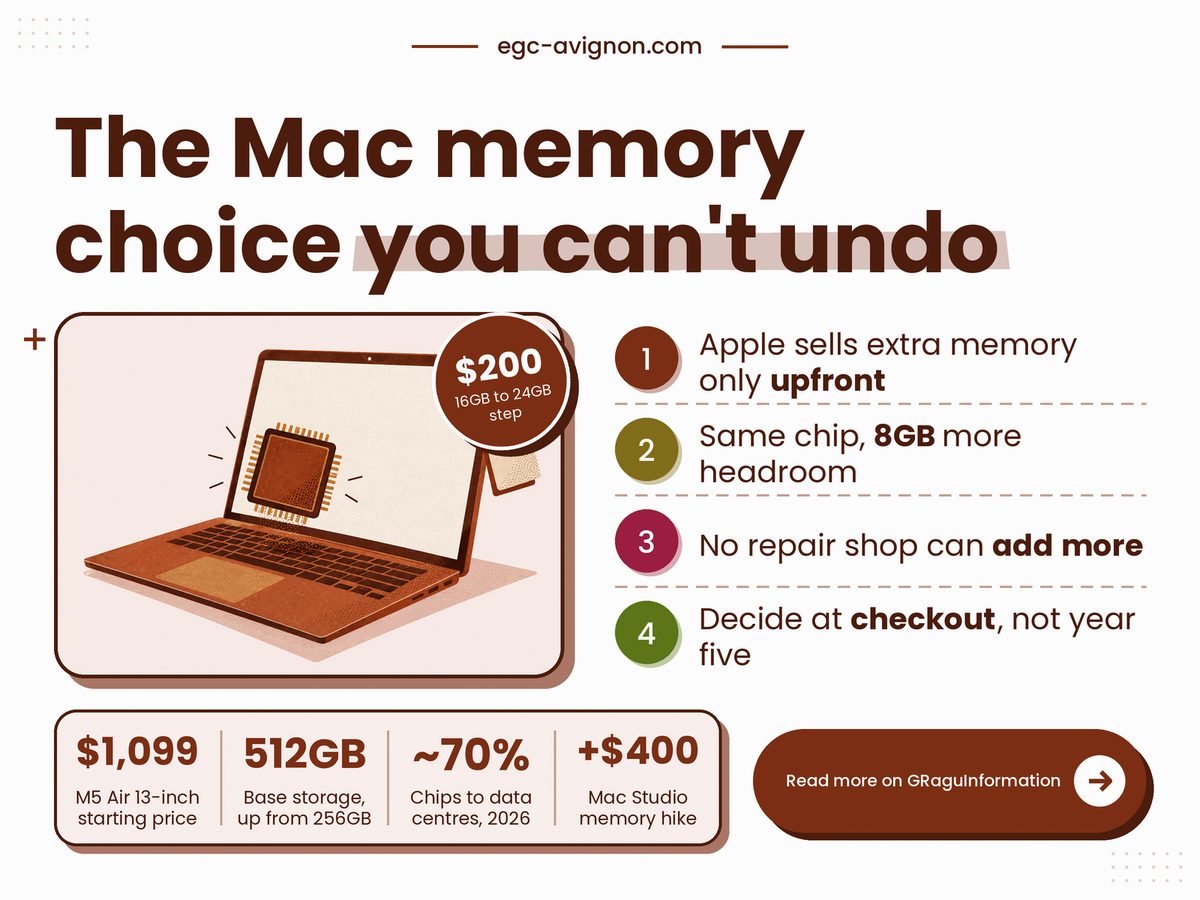
TL;DR: Buy 24GB if the Mac has to last past year three, because Apple only sells extra memory at checkout.
- Memory sits inside the processor package, so nobody can add more after purchase.
- The step from 16GB to 24GB is a one-off $200 on a MacBook Air, small against the sticker price.
- Check Activity Monitor on your current Mac: yellow or red memory pressure means buy the bigger build.
- Planning to sell within two years? Take 16GB and keep the cash.
Can you upgrade RAM on a MacBook after you buy it?
No, because on an Apple Silicon MacBook the memory sits inside the same package as the processor, so it cannot be swapped or added later, and Apple sells larger amounts only when you configure the machine.
That is a design choice, not a repair-shop failing. Apple's own MacBook Air specs page lists 16GB of unified memory as the starting point, configurable to 24GB or 32GB, and the word that matters there is configurable: it happens at purchase. Two buying guides, macos-tahoe.com (28 May 2026) and ShopSavvy (9 May 2026), put the same price on the first step: $200 from 16GB to 24GB at both screen sizes. A price-by-price comparison at Basic Apple Guy finds that gap on the 14-inch MacBook Pro and the Mac mini too, which suggests a house rate rather than a one-off. I could not read the number off Apple's configurator, which shows prices only after you pick a build, so confirm it there before you pay.
The old PC advice, buy the cheap one and add memory later, is simply outdated here. The pricing shape is the same one behind paying monthly for iCloud space instead of buying a bigger iPhone: the cheaper-sounding option turns into a cost that keeps arriving. And it is why the memory shortage behind every phone price hike matters to anyone shopping for a Mac this year.
Apple also reprices these steps mid-cycle. In March 2026, as relayed by macos-tahoe.com from MacRumors and Tom's Hardware, the Mac Studio with M3 Ultra lost its 512GB option, and its step from 96GB to 256GB rose from $1,600 to $2,000. If one step can cost $400 more or vanish halfway through a product's life, then "I'll decide later" is itself a gamble.
Four figures frame the choice: Apple's March 2026 launch price for the cheapest 13-inch Air, the memory you actually gain from the step (my subtraction), how much of this year's chip output is spoken for by data centres, according to Tom's Hardware as relayed by macos-tahoe.com, and the ownership window I use for the rest of this piece.
13-inch Air Starting Price
$1,099
Before any memory upgrade
Extra Memory Per Step
8GB
Derived: 24GB minus 16GB
Chips Bound For Data Centres
~70%
Little relief before 2027
Ownership Window Assumed
5 years
Our base case, adjust yours
Take the data-centre share. A few years ago it was roughly a fifth to a third of output, and the report says new Micron and SK Hynix capacity will not reach volume before 2027. My reading: do not wait for cheaper memory tiers, because the next Mac refresh is unlikely to cut the step.
You cannot add memory to a Mac later. You can only pay for it on day one, or live without it.
Is the $200 Mac RAM upgrade worth it over five years?
Usually yes if you keep the Mac for five years or more, because the one-off cost spreads over every year of use, and the grid below shows how fast it shrinks.
Do this sum in under a minute with your own numbers: divide the price of the memory step by the years you expect to keep the Mac. Find your years down the side, read across at your step price. The first column is the Air; the other two show what a pricier tier would cost, since Apple has charged more on higher-end machines.
| Years kept | $200 | $300 | $400 |
|---|---|---|---|
| 3 years | $67 | $100 | $133 |
| 4 years | $50 | $75 | $100 |
| 5 years | $40 | $60 | $80 |
| 6 years | $33 | $50 | $67 |
| 7 years | $29 | $43 | $57 |
The shaded cell is the base case. One year either way shifts the answer by $7 to $10 a year, so the exact guess matters less than people think. Skip the step only if you will sell soon, and treat any claim that 24GB resells for more as unproven: the one source that makes it gives no data.
Does the $200 get easier to justify the longer you keep the Mac? Yes: spread across the months you own it, the cost falls every year. Derived by the author: the memory step divided by months owned, rounded to the nearest dollar.
What can still go wrong with 24GB?
A lot, because extra memory fixes only one limit: it does nothing for storage, battery wear or the date Apple stops servicing the Mac, and any of those can end a machine's useful life first.
Start with the clock. Apple's vintage and obsolete lists decide when a Mac loses hardware service, whatever is inside it, and how those lists set your repair deadline is worth reading before you buy. Software has its own clock: when Intel Mac security updates stop shows a machine that runs fine and is quietly cut off.
Storage is the second regret, and Apple has partly fixed it. 9to5Mac reported on 3 March 2026 that the M5 Air's base disk doubled from 256GB to 512GB while the starting price rose by $100, so the extra money bought disk space, not memory. Add storage and you face the same rule: it is fixed at checkout too.
Here is the part nobody can settle. Whether 16GB is still enough in 2031 depends on software that has not shipped. In my view apps keep asking for more, but that is judgement, not data.
- Prices here are US list prices from March to May 2026, and Apple has repriced tiers mid-cycle before, so read the configurator on the day.
- ShopSavvy says 24GB resells higher after three years but shows no data, so leave resale out of your sum.
- Do not stretch to 32GB by reflex: nothing here shows an ordinary user needs it.
Check before the payment page
Your last laptop stayed quick for more years than you plan to keep this one.
A browser with dozens of tabs runs beside a video call or photo editor most days.
Your work may shift to heavier apps and you cannot say which ones yet.
Each one you can truthfully tick makes the step easier to defend.
So decide before the payment page, not after. This week, open Activity Monitor on the Mac you use now, watch the Memory tab through your busiest hour, and if the pressure graph turns yellow or red, add the 24GB step to the cart; if it stays green and you will sell soon, take 16GB and keep the $200.
No comments
Post a Comment
Note: Only a member of this blog may post a comment.