Friday, October 23, 2026

AppleCare One Cost: $960 Over Four Years

The bill nobody plans for lands years after the purchase. An iPad bought five years ago cracks its screen, nothing covers it, and Apple's stated limit for adding a device to its newer plan is four years. So the AppleCare One cost is really two things: a monthly fee, and a clock that decides which of your devices can ever use it.
AppleCare One cost on a balance scale: one $19.99 plan versus three separate plans

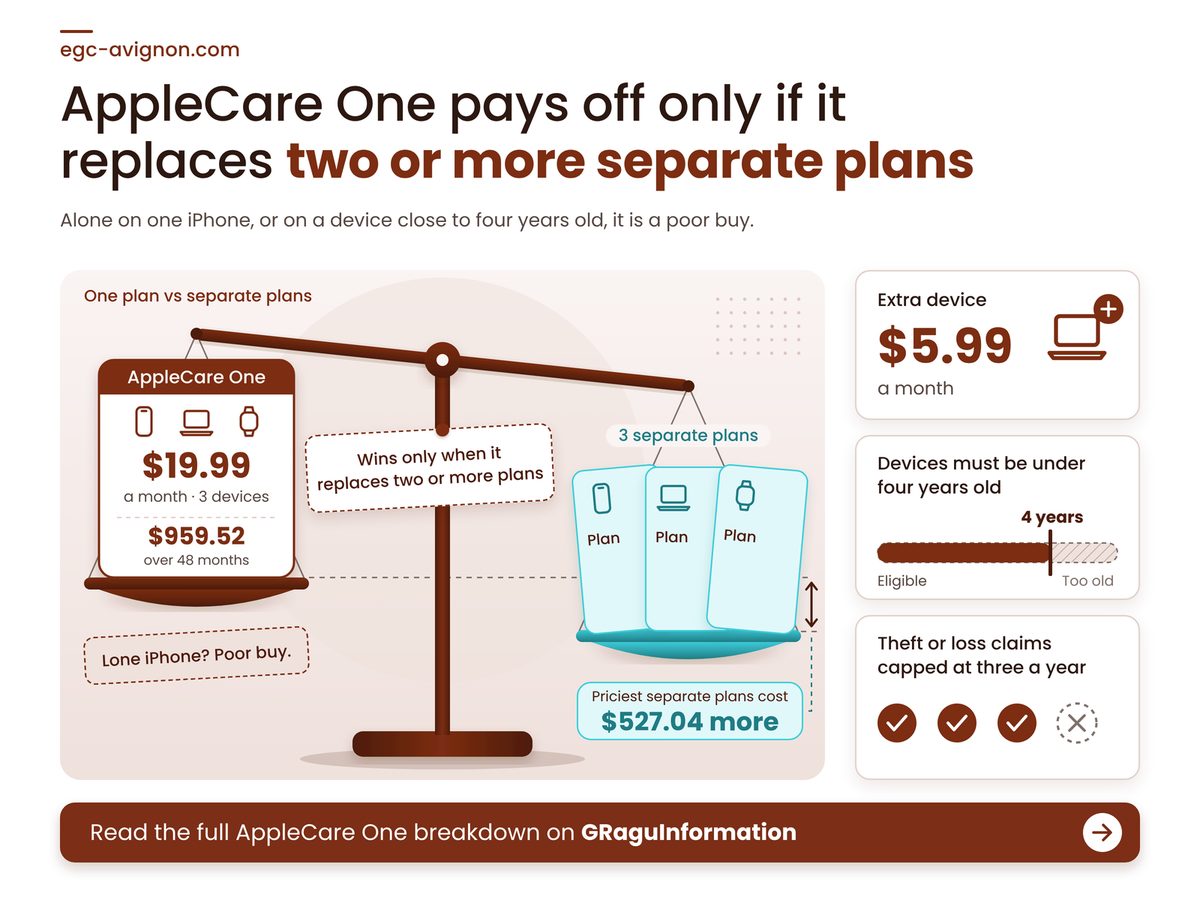
TL;DR: AppleCare One pays off when it replaces two or more separate plans, and it is a poor buy for a lone iPhone or any device close to four years old.

  • Three devices cost $19.99 a month, about $960 over four years, before any claim fees.
  • One iPhone on its own costs more here than on its own AppleCare+ with Theft and Loss.
  • Claim fees and a yearly cap on loss claims sit on top of the monthly price.
  • Check your oldest device's purchase date before anything else.

Why Does a Cancel-Anytime Plan Still Cost This Much?

Because the plan renews one month at a time and builds no equity, every month you stay costs the full fee, so the cost only stops when your need for coverage does. Apple's 23 July 2025 announcement priced AppleCare One at $19.99 a month for up to three products and $5.99 for each extra, and its disclosure calls it a recurring one-month term. Hold that fee for 48 months and it is the bill, money that comes back only if something breaks. The upside is the battery: replacement is included once capacity falls below 80%, which removes the out-of-warranty iPhone battery replacement fee.

Worked example: take an iPhone, an iPad and an Apple Watch kept for 48 months, ignoring claim fees and tax. Apple's AppleCare+ with Theft and Loss summary (September 2025 edition, the latest we could retrieve) lists monthly prices by model: iPhone $11.99 to $13.99, iPad $4.99 to $10.99, Watch $2.99 to $5.99. The cheapest trio adds up to $19.97 and the priciest to $30.97. Against the AppleCare One fee, the cheapest trio is a 2-cent monthly loss, while the priciest saves $527.04 over the four years, which squares with Apple's own claim of saving up to $11 a month. Your models decide which end you sit at, so price them first.

Four numbers settle whether the plan fits: how old your devices may be, what it costs over its life, how many losses it pays for, and how far it can undercut separate plans.

Age Ceiling For Adding A Device

4 years

Older gear cannot join the plan

Three Devices, 48 Months

$959.52

Derived: monthly fee times 48

Theft Or Loss Claims Allowed

3 a year

Fourth loss in a year is yours

Most You Could Save Monthly

$10.98

Priciest trio, derived above

The age ceiling applies when you add a device, so the date to check is each device's purchase date. Count back from today, 23 October 2026, to 23 October 2022: anything bought before that is already outside the limit Apple states. Age cuts the other way too, because Apple's vintage and obsolete lists decide how long repair parts exist, which is a different clock from this one.

"

Apple states the age limit for adding a device but, in the pages we read, never says what happens when a covered device turns four. Our view: plan for coverage ending there.

What Does AppleCare One Cost for Your Device Count?

Three devices cost about $240 in the first year and four times that over four years, and every extra device raises the bill, so find your device count below and read across.

Each cell is the monthly fee added up over that horizon, rounded to the dollar, before claim fees and tax. Find your row, then read across to how long you expect to keep paying.

Your devices1 year2 years4 years
1 to 3 devices$240$480$960
4 devices$312$624$1,247
5 devices$384$767$1,535
6 devices$456$911$1,822

The shaded cell is our base case. A fourth device lifts it by about 30%, stopping at two years halves it, and the first row shows the quiet trap: one device costs exactly what three do. Apple's Family plan, $49.99 a month for up to six people (apple.com/applecare, retrieved 23 October 2026), only undercuts adding devices one by one from the ninth device by our arithmetic, so its real draw is double the loss-claim allowance.

Slot 1 $320 over 4 years Slot 2 $320 over 4 years Slot 3 $320 over 4 years Extra device $288 over 4 years

Fill all three included slots before paying for a fourth: each slot costs about $320 over four years whether or not it holds a device, and an extra device costs about $288. Derived from Apple's July 2025 monthly prices over 48 months, with the plan fee split three ways and rounded to the dollar.

What Are the Catches Before You Subscribe?

The catches are fees on accidental damage, a cap on loss claims, a device check you cannot preview, and a monthly term that stops paying out the day you stop paying.

Apple's AppleCare One disclosure sets the fees: $29 for an iPhone screen or back-glass claim, $99 for other accidental damage, and a $149 deductible for theft or loss. One $99 claim equals almost five months of the plan fee, so two or three of them add roughly a fifth to a third on top of the base cost. Eligibility is the second catch. Apple's support article, published 14 September 2026, says some devices will not be eligible and will not be visible before you subscribe, so you learn that your oldest device is out only after you sign up.

Outside the US the numbers differ: Apple UK lists £16.99 a month for three products and £4.99 per extra (27 July 2026), or £815.52 over 48 months. And treat it like any subscription. The five-year iCloud arithmetic shows why a small monthly fee deserves a yearly review.

  • Start the plan within 60 days of buying a device, the window Apple's support article gives; later additions may face a device check.
  • File a claim within 60 days of the incident, the deadline in Apple's disclosure.
  • Battery cover starts only below 80% capacity, so a battery at 85% is still your cost.

Four conditions to check on your own devices

  • Every device you want covered is signed in to your Apple Account, the only place Apple lists them.
  • None sits on an iPhone Upgrade Program plan, which Apple Support must cancel before AppleCare One can take over.
  • You are inside 60 days of buying each new device, or you accept a device check.
  • You could pay a loss deductible from savings, not credit.

This week, list every Apple device you own with its purchase date, price each one's own AppleCare+ plan on Apple's site, and subscribe only if those prices total more than $19.99 and every device you add is inside the age limit. Skip it if your separate prices come in lower. That advice is wrong for a device that would otherwise go uncovered entirely, because then you are weighing the plan against a repair bill, and Apple's AppleCare One support page is where you check what your own devices qualify for.

How we checked this

We read Apple's AppleCare One announcement (23 July 2025), its AppleCare One summary (July 2025), its AppleCare+ summary (September 2025) and its support article (14 September 2026). The worked example assumes an iPhone, iPad and Watch at the lowest and highest listed prices for 48 months. No product was tested hands-on for this article. Last verified: 23 October 2026. Edited by G Ragu, reviewed after publication. Spotted something out of date? Tell us and we will correct it.
Tuesday, October 20, 2026

Mac RAM Upgrade: $200 Now, Never Later

Year five. The MacBook Air still looks perfect, but Safari tabs reload every time you switch back to them, and the fan spins up on every video call. A technician will tell you the cause in one sentence: the memory cannot be changed. The Mac RAM upgrade that would have fixed this was a single tick box at checkout, and that box closed the day you paid.

Laptop with a sealed memory chip and price tag illustrating a mac ram upgrade

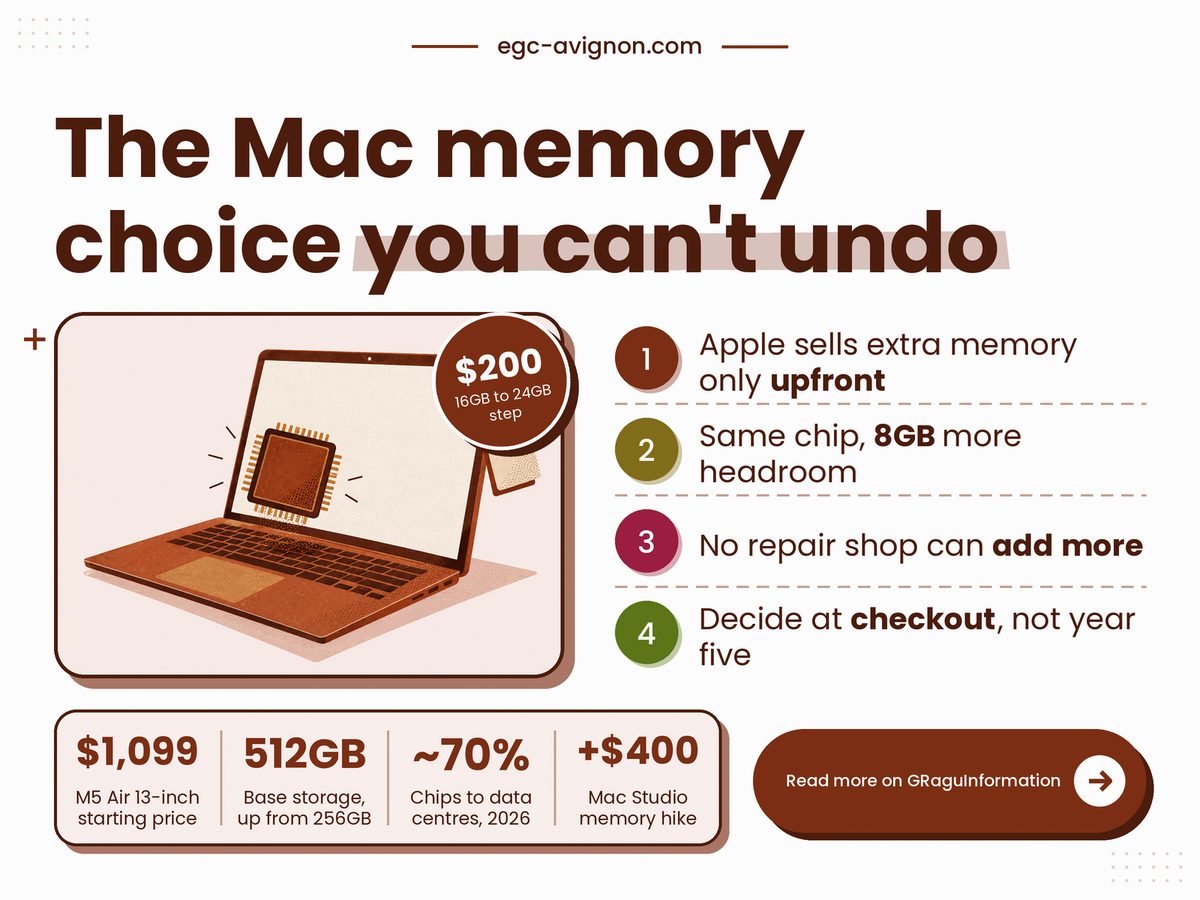
TL;DR: Buy 24GB if the Mac has to last past year three, because Apple only sells extra memory at checkout.

  • Memory sits inside the processor package, so nobody can add more after purchase.
  • The step from 16GB to 24GB is a one-off $200 on a MacBook Air, small against the sticker price.
  • Check Activity Monitor on your current Mac: yellow or red memory pressure means buy the bigger build.
  • Planning to sell within two years? Take 16GB and keep the cash.

Can you upgrade RAM on a MacBook after you buy it?

No, because on an Apple Silicon MacBook the memory sits inside the same package as the processor, so it cannot be swapped or added later, and Apple sells larger amounts only when you configure the machine.

That is a design choice, not a repair-shop failing. Apple's own MacBook Air specs page lists 16GB of unified memory as the starting point, configurable to 24GB or 32GB, and the word that matters there is configurable: it happens at purchase. Two buying guides, macos-tahoe.com (28 May 2026) and ShopSavvy (9 May 2026), put the same price on the first step: $200 from 16GB to 24GB at both screen sizes. A price-by-price comparison at Basic Apple Guy finds that gap on the 14-inch MacBook Pro and the Mac mini too, which suggests a house rate rather than a one-off. I could not read the number off Apple's configurator, which shows prices only after you pick a build, so confirm it there before you pay.

The old PC advice, buy the cheap one and add memory later, is simply outdated here. The pricing shape is the same one behind paying monthly for iCloud space instead of buying a bigger iPhone: the cheaper-sounding option turns into a cost that keeps arriving. And it is why the memory shortage behind every phone price hike matters to anyone shopping for a Mac this year.

Apple also reprices these steps mid-cycle. In March 2026, as relayed by macos-tahoe.com from MacRumors and Tom's Hardware, the Mac Studio with M3 Ultra lost its 512GB option, and its step from 96GB to 256GB rose from $1,600 to $2,000. If one step can cost $400 more or vanish halfway through a product's life, then "I'll decide later" is itself a gamble.

Four figures frame the choice: Apple's March 2026 launch price for the cheapest 13-inch Air, the memory you actually gain from the step (my subtraction), how much of this year's chip output is spoken for by data centres, according to Tom's Hardware as relayed by macos-tahoe.com, and the ownership window I use for the rest of this piece.

13-inch Air Starting Price

$1,099

Before any memory upgrade

Extra Memory Per Step

8GB

Derived: 24GB minus 16GB

Chips Bound For Data Centres

~70%

Little relief before 2027

Ownership Window Assumed

5 years

Our base case, adjust yours

Take the data-centre share. A few years ago it was roughly a fifth to a third of output, and the report says new Micron and SK Hynix capacity will not reach volume before 2027. My reading: do not wait for cheaper memory tiers, because the next Mac refresh is unlikely to cut the step.

"

You cannot add memory to a Mac later. You can only pay for it on day one, or live without it.

Is the $200 Mac RAM upgrade worth it over five years?

Usually yes if you keep the Mac for five years or more, because the one-off cost spreads over every year of use, and the grid below shows how fast it shrinks.

Do this sum in under a minute with your own numbers: divide the price of the memory step by the years you expect to keep the Mac. Find your years down the side, read across at your step price. The first column is the Air; the other two show what a pricier tier would cost, since Apple has charged more on higher-end machines.

Years kept$200$300$400
3 years$67$100$133
4 years$50$75$100
5 years$40$60$80
6 years$33$50$67
7 years$29$43$57

The shaded cell is the base case. One year either way shifts the answer by $7 to $10 a year, so the exact guess matters less than people think. Skip the step only if you will sell soon, and treat any claim that 24GB resells for more as unproven: the one source that makes it gives no data.

$200 once Checkout $17/mo Year 1 $6/mo Year 3 $3/mo Year 5 $2/mo Year 7

Does the $200 get easier to justify the longer you keep the Mac? Yes: spread across the months you own it, the cost falls every year. Derived by the author: the memory step divided by months owned, rounded to the nearest dollar.

What can still go wrong with 24GB?

A lot, because extra memory fixes only one limit: it does nothing for storage, battery wear or the date Apple stops servicing the Mac, and any of those can end a machine's useful life first.

Start with the clock. Apple's vintage and obsolete lists decide when a Mac loses hardware service, whatever is inside it, and how those lists set your repair deadline is worth reading before you buy. Software has its own clock: when Intel Mac security updates stop shows a machine that runs fine and is quietly cut off.

Storage is the second regret, and Apple has partly fixed it. 9to5Mac reported on 3 March 2026 that the M5 Air's base disk doubled from 256GB to 512GB while the starting price rose by $100, so the extra money bought disk space, not memory. Add storage and you face the same rule: it is fixed at checkout too.

Here is the part nobody can settle. Whether 16GB is still enough in 2031 depends on software that has not shipped. In my view apps keep asking for more, but that is judgement, not data.

  • Prices here are US list prices from March to May 2026, and Apple has repriced tiers mid-cycle before, so read the configurator on the day.
  • ShopSavvy says 24GB resells higher after three years but shows no data, so leave resale out of your sum.
  • Do not stretch to 32GB by reflex: nothing here shows an ordinary user needs it.

Check before the payment page

Your last laptop stayed quick for more years than you plan to keep this one.

A browser with dozens of tabs runs beside a video call or photo editor most days.

Your work may shift to heavier apps and you cannot say which ones yet.

Each one you can truthfully tick makes the step easier to defend.

So decide before the payment page, not after. This week, open Activity Monitor on the Mac you use now, watch the Memory tab through your busiest hour, and if the pressure graph turns yellow or red, add the 24GB step to the cart; if it stays green and you will sell soon, take 16GB and keep the $200.

Thursday, October 15, 2026

iCloud Storage Cost vs a Bigger iPhone

The phone was paid off two years ago. And every month a small charge from Apple still lands on the card, for storage the phone was supposed to have. That line is the iCloud storage cost, and unlike the handset it never gets paid off: it runs as long as you keep the account, and the tier you need climbs with the photo library. So the real question at the Apple Store was never which iPhone to buy. It was which bill you would rather carry for five years.

Infographic on iCloud storage cost: a smartphone, a monthly bill and stacked coins

Key Takeaways

A bigger iPhone does not replace iCloud. It changes how much of it you need, and within five years the matching cloud tier still costs less than the storage upgrade.

  • Buy phone storage for what you keep on the device, never to dodge a backup bill.
  • A storage step at checkout takes more than five years to undercut the matching iCloud+ plan.
  • One shared family plan beats several small individual plans.
  • Treat the monthly price as movable, because Apple has raised it before.

Is it cheaper to buy more iPhone storage or pay for iCloud?

Over five years, paying for the matching iCloud+ tier is cheaper than buying a bigger iPhone, and the bigger phone still needs a cloud backup, so extra storage at the shop delays the bill rather than replacing it.

The two purchases solve different problems. Storage on the phone holds what you carry. iCloud holds the copy you get back when the phone is lost or stolen. A 1TB iPhone with no backup is a very expensive single point of failure.

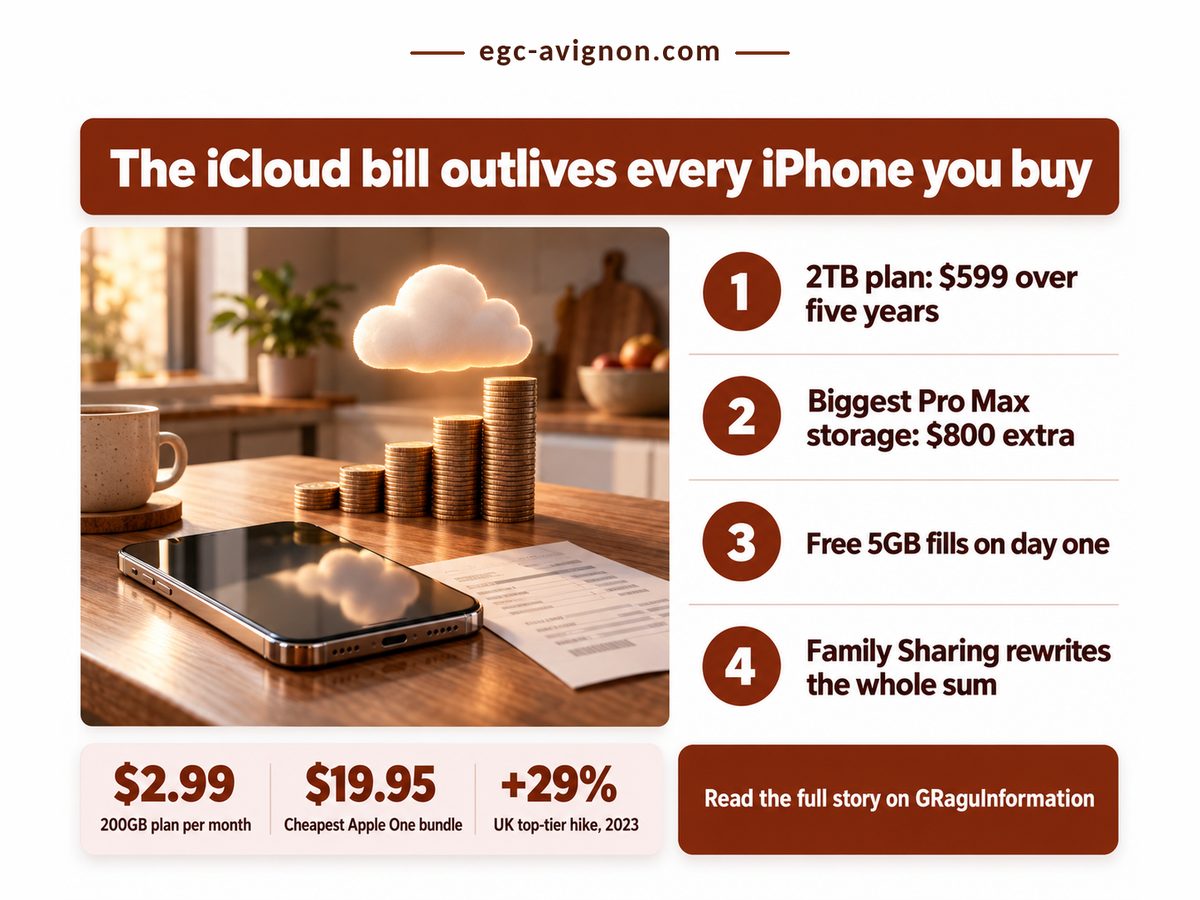
Run the numbers at the top end. TechRadar's iPhone 17 launch pricing puts the Pro Max at $1,199 with 256GB and $1,999 with 2TB, an $800 gap that buys the same capacity Apple rents as its 2TB iCloud+ plan for $9.99 a month. Divide one by the other and the phone upgrade only pulls ahead after more years than most owners keep a handset. Nor will the gap shrink while the memory shortage behind this year's phone price hikes lasts.

Four numbers settle this for most owners. Apple's iCloud+ plans and pricing page, updated September 29, 2026, sets the free allowance and the US middle-tier price; GSMArena's June 2023 report records how far the UK top tier jumped. The payback period is this article's own arithmetic from Apple's and TechRadar's prices, and it beats the sticker price because it says whether you will still own the phone when the upgrade earns its money back, the same long-ownership sum behind whether an out-of-warranty iPhone battery replacement is worth paying for.

Payback on the Pro Max upgrade

6.7 years

Before the bigger phone wins

200GB plan, US price

$2.99 a month

About $36 a year, indefinitely

Free iCloud storage

5GB

Less than one full backup

UK 2TB price rise, 2023

+29%

Prices move after you commit

That last cell matters most. A storage chip cannot get dearer once bought; a subscription can. Apple's current page still lists the UK 2TB plan at £8.99 a month, so the 2023 increase stuck. Budget the cloud side for another rise, not a flat line.

"

A bigger iPhone never cancels the cloud bill. It only decides which tier you rent, and how long you can pretend you don't need one.

So the honest comparison is how the two split the job, using Apple's US list prices and the iPhone 17 launch prices.

iCloud storage cost against a bigger iPhone, row by row

Set side by side, iCloud+ wins on upfront cost, sharing and backup, while a bigger iPhone wins only on offline space and price certainty, so most buyers should take modest phone storage and pay for cloud.

Dimension iCloud+ vs bigger iPhone What it means for you
💰 Upfront cost iCloud+ Nothing at checkout
iPhone $200 for 512GB on iPhone 17
✅ Cloud keeps cash in hand at purchase
⏱ Break-even iCloud+ 200GB overtakes it at month 67
iPhone Settled on day one
⚠️ Pays off only past five and a half years
🧾 Bundle route iCloud+ Apple One from $19.95/mo
iPhone No bundle exists
⚠️ Worth it only if you already use Music
📊 Sharing iCloud+ One plan, whole Family Sharing group
iPhone One owner only
✅ One bill can cover the household
🔒 Backup iCloud+ Off-device copy, restorable
iPhone No copy if the phone is lost
❌ Phone-only storage loses photos with it
🏁 Best suited for iCloud+ Growing photo libraries
iPhone Heavy offline video shooters
🏁 Most owners: 256GB phone, 200GB cloud

The pattern is lopsided: cloud takes the money rows, the phone takes the certainty rows. The sensible default is a mid-size phone plus a cloud tier sized to your real backup.

Five-year iCloud+ bill as a share of the storage step. 200GB plan vs iPhone 17 512GB step · $179.40 · 90%. 2TB plan vs Pro Max 2TB step · $599.40 · 75%.

Within five years, neither storage upgrade costs less than simply paying for the matching iCloud+ tier, and neither one gives you a backup. Derived from Apple's US iCloud+ prices and TechRadar's iPhone 17 launch prices, sixty months of each plan against the one-time step.

Where the iCloud+ price bites hardest

The iCloud+ price bites hardest on households paying for several separate plans, and on anyone who cancels without first moving their photos and backups somewhere they control.

Family Sharing is the fix most households miss. Internxt's February 2026 pricing guide notes one iCloud+ plan can be shared with up to five other people, so the 2TB plan works out near $1.67 a person each month. Six people on separate 50GB plans at $0.99 pay $5.94 between them for a fraction of the space.

In India, Apple lists 200GB at Rs 219 a month: Rs 13,140 over five years, the number to set against any storage step there.

What happens if I stop paying for iCloud storage?

If you stop paying, the account falls back to the free tier, and once your data is over that limit, iCloud stops backing up the phone and stops uploading new photos until you free up space.

That is the lock-in: not a contract, just the chore of moving years of photos, the same slow pressure the Apple vintage and obsolete lists put on older hardware. Before picking a size, watch for these:

  • An older 128GB phone squeezes both itself and the cloud; TechRadar notes the iPhone 17 doubled base storage to 256GB at the same $799.
  • Apple One only beats plain iCloud+ when you would pay for Apple Music or TV+ anyway.
  • Cancelling ends the backup, not the photos on the phone.

Check these about your own phone before you choose

  • Your iCloud settings show over 50GB of backup and photos.
  • You keep phones beyond five and a half years.
  • Someone at home already pays for iCloud+ you could join.
  • You shoot long video you need offline.

So here is the decision. Replace phones within five years? Buy the storage you use on the device and the iCloud+ tier your backup needs. Keep them longer and film heavily offline, and the bigger phone earns its keep, though you still want some cloud. This week, open Settings, tap your name, then iCloud, and see what fills that bar before the next upgrade screen asks for a number.

Thursday, October 8, 2026

Apple Obsolete List: Your Repair Deadline

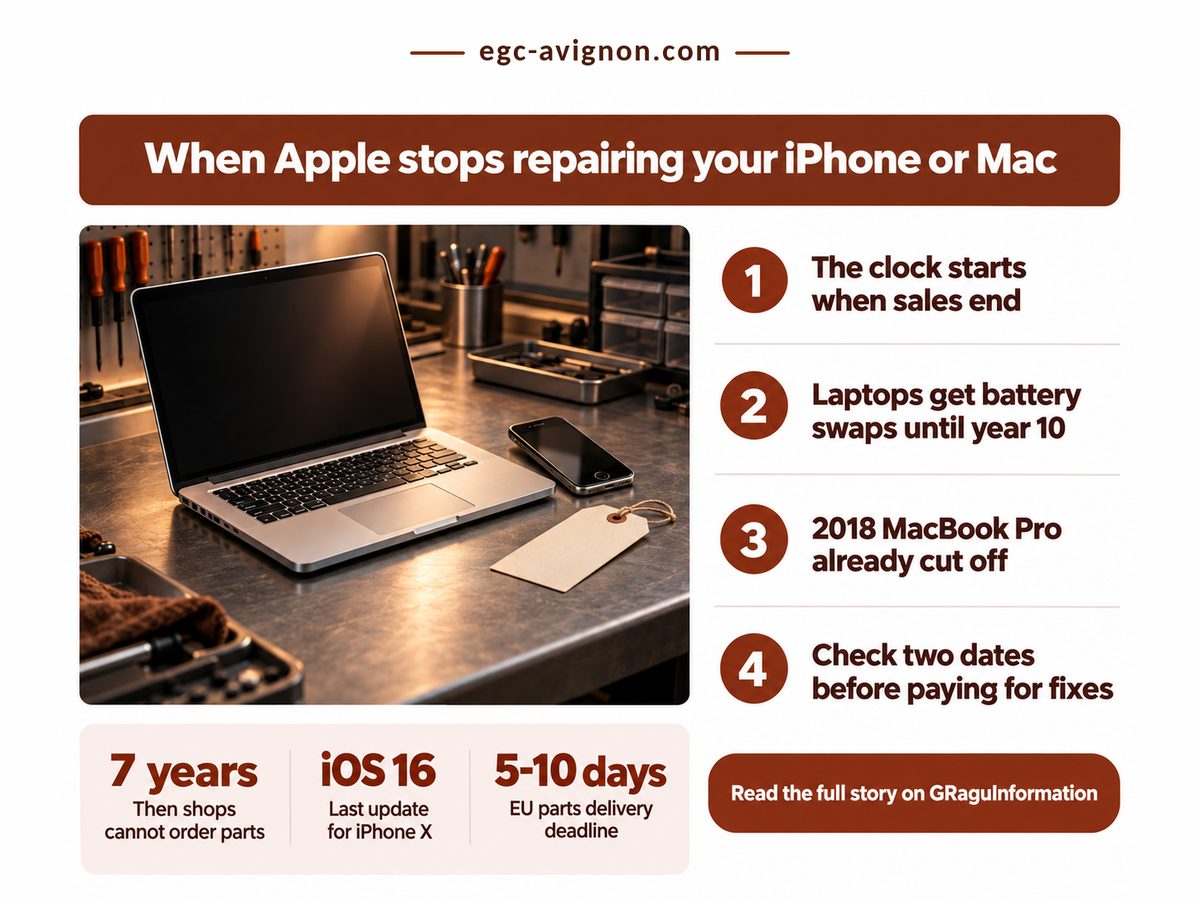
Your MacBook Pro worked the day you bought it, and it still works. What changed is a line on an Apple support page you have never opened. Seven years after Apple stops selling a model, it joins the Apple obsolete list, and no Apple Store or authorised shop can order a part for it. You paid once. The lock-in arrived years later, dated by Apple's last sale, not your receipt.

Apple obsolete list poster: older MacBook Pro and iPhone on a repair bench

Key Takeaways: Apple repairs a device for about seven years after it stops selling that model, then refuses at any price, so your real deadline depends on the last sale date, not your purchase date.

  • In years five to seven, a repair happens only if the part is in stock.
  • Mac laptops can keep getting battery swaps until year ten, and nothing else.
  • Check when your model left sale and when its software stopped, then book optional repairs before year five.

How long will Apple repair my iPhone or Mac?

Apple repairs most iPhones and Macs for up to seven years after it stops selling the model, with normal service for the first five and parts-permitting service in years five to seven.

Apple's own support page, Vintage and obsolete products, updated on 15 September 2026, draws both lines. A product is vintage once Apple stopped distributing it for sale more than five and less than seven years ago. Past seven it is obsolete: Apple discontinues all hardware service, and providers cannot order parts. So the repair price stops mattering, because nobody in Apple's network may quote one.

The clock is the part owners get wrong. It starts when Apple stops selling the model, not when you bought it (unless, I suppose, you bought on the very last day). The usual advice, wait until something breaks, is outdated for any device past year five. By then the repair you postponed may be one Apple can no longer do.

Two other clocks run beside this one. The date Intel Macs stop getting security updates can beat the repair cut-off, and on an iPhone it pays to check what an out-of-warranty battery replacement costs while Apple still stocks your part.

That conditional window is already open for many Macs. TechRepublic's 3 April 2026 report on Apple's spring update stressed that vintage repairs depend on parts being in stock, and its newly vintage list runs from the Late 2013 Mac Pro to the 2020 Intel MacBook Air. Own one, and a quote can now be refused. That deferred screen fix is due now.

Four numbers set the terms; the share of laptop life is my own arithmetic from Apple's thresholds.

Full Apple Repair Window

5 years

Then repairs need luck

Apple Watch Generations Now Vintage

3

Series 3 to 5 exposed

Laptop Life With Full Repair

50%

Half gone by vintage

Mac Laptop Battery-Only Extension

+3 years

Batteries only, nothing else

The battery extension sounds generous until you see what it leaves out. Khaleej Times reported on 16 August 2026 that the 2018 15-inch MacBook Pro and the iPhone X had turned obsolete. That MacBook can still, parts permitting, get a new battery from Apple. A failed display gets a no.

"

Year seven is not a price rise. It is the day Apple's entire repair network loses the right to order your part.

What the Apple obsolete list actually takes away

Moving from vintage to obsolete takes away every Apple and authorised repair except, on Mac laptops, a battery swap, and it leaves independent shops with salvaged or aftermarket parts as your only route.

Read the table by your model's age since its last sale.

Dimension Vintage vs Obsolete What it means for you
⏱ Age since sale Vintage 5 to 7 years
Obsolete over 7 years
⚠️ Your receipt date does not count
🛠 Apple repair Vintage only if parts exist
Obsolete none at any price
❌ Authorised shops lose the parts order
🔋 Laptop battery Vintage covered, stock allowing
Obsolete to year 10 from sale
✅ A dead battery is still fixable
🌍 Other shops Vintage Apple parts may remain
Obsolete salvaged or aftermarket
⚠️ Budget for non-genuine parts
📊 Apple time left Vintage 0 to 2 years
Obsolete none, bar laptop batteries
❌ Optional fixes cannot wait
🏁 Best suited for Vintage a fix you can book now
Obsolete owners with a local shop
🏁 Book before year 7, not after

A vintage model has between zero and two years of Apple repairs left, my own arithmetic from Apple's two thresholds, and Apple never says where in that range you sit. The April report dated the iPhone 11 Pro's move to vintage to January 2026, which puts its obsolete date around January 2028. I think Apple should print each model's last sale date on that page, since the whole policy runs on it.

10 yrs. from last sale. Years 0-5. Normal Apple repair. Years 5-7. Only if parts exist. Years 7-10. Laptop battery only.

Any repair you can schedule belongs in the first segment, since everything after it is conditional or battery-only. Derived from Apple's vintage and obsolete thresholds and its Mac laptop battery extension.

Can I still get an obsolete iPhone repaired?

Yes, an obsolete iPhone can still be repaired by an independent shop using salvaged or aftermarket parts, but Apple and its authorised providers will refuse the job and cannot order the part at any price.

TechRepublic's verdict on repair after that point is fair: possible, just less predictable. That means donor-device or aftermarket parts of uneven quality, with no Apple quote to compare against.

The second date owners miss is software. Per 9to5Mac figures cited in the same Khaleej Times report, the iPhone X topped out at iOS 16 and the 2018 MacBook Pro at macOS Sequoia. Software support usually ends first, so check both dates before paying: a new screen on a phone that apps are leaving behind fixes the wrong problem.

The EU is the one market where part of this is law. Under ecodesign rules in force since 20 June 2025, Hardware Busters reported, phone and tablet makers must keep critical spare parts for seven years after a model leaves sale and deliver them within 5-10 working days. That covers only models sold after mid-2025, though. And replacing is not cheap, given the memory shortage pushing phone prices up.

  • A refused vintage quote has no appeal: the problem is stock, not policy.
  • Non-genuine screens and batteries can trigger an unknown-part notice on recent iPhones.
  • Both lists change several times a year, so check again before buying used.

Book the repair now if two of these are true

  • Apple stopped selling your model five or more years ago.
  • Your device cannot install the current major iOS or macOS.
  • The fault is something other than a Mac laptop battery.
  • No authorised shop near you has quoted the part this month.

The decision is repair now or budget for the replacement, so make it this week. Open Apple's Vintage and obsolete products page and find the year your model left sale. Between five and seven, book the repair you have been putting off while a part may exist. Past seven, ask an independent shop now what a battery and a screen would cost, so you choose on numbers rather than in a panic.

Monday, October 5, 2026

iPhone Battery Replacement Cost Hits $119

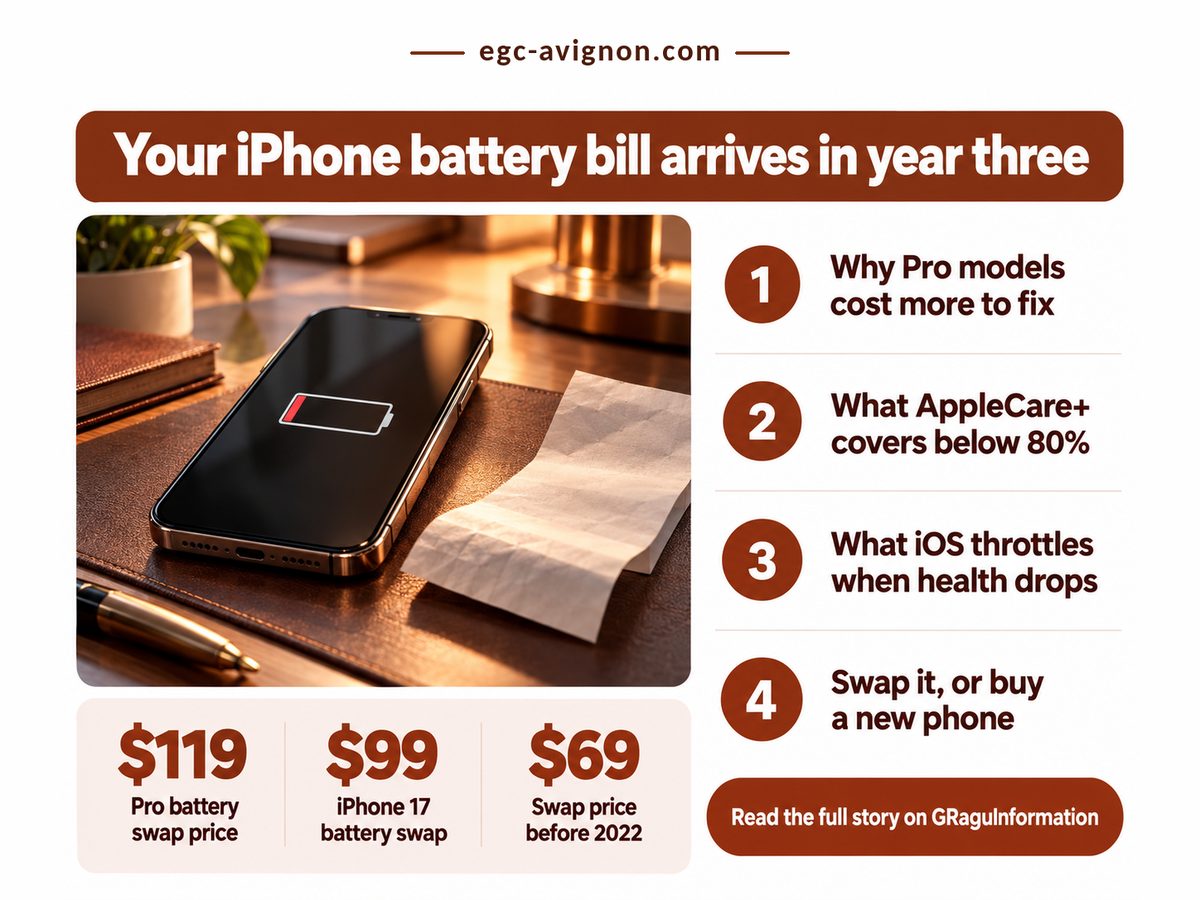
Somewhere in year three, the phone you paid off starts sending a second bill. Battery Health in Settings slips under 80%, iOS quietly reins in the processor, and the iPhone battery replacement cost Apple quotes for an iPhone 17 Pro, $119 according to 9to5Mac's September 2025 rundown of Apple repair prices, stops being trivia. It becomes a bill to pay, insure or dodge with a new phone, and nobody mentioned it at the shop.

Infographic on iPhone battery replacement cost with an iPhone beside a repair receipt

Key Takeaways: pay the battery fee once, out of pocket, unless you already want AppleCare+ for cracked glass.

  • Apple's standard warranty never covers normal battery wear, so the year-three swap is your money without a plan.
  • iPhone 15 and newer batteries are rated to wear about twice as slowly as the iPhone 14's, which pushes the swap toward year three.
  • AppleCare+ waives the battery fee only if wear crosses Apple's threshold while the plan is still active.

Why does the iPhone battery bill land in year three?

It lands in year three because Apple rates iPhone 15 and newer batteries to keep their health line for 1,000 full charge cycles, and a phone charged once a day uses roughly one cycle every day.

Those ratings come from Apple's own support page on iPhone battery and performance, updated in June 2026. A cycle is a full battery's worth of charge, used in one day or across several top-ups. The arithmetic after that is mine, not Apple's: at one cycle a day, that rating runs out after about 33 months, so a September phone crosses the line around its third summer.

Crossing it isn't cosmetic. The same Apple page lists what iOS performance management can do to a worn battery: cap the processor and graphics chip, stretch app launch times, drop frame rates, dim the backlight and lower speaker volume. Skip the swap and you pay in speed and brightness instead of dollars, which is the worse trade, or at least the more irritating one, for anyone who works from the phone.

And the standard warranty won't step in. Apple covers a defective battery, never one that simply wore out. That gap between purchase price and ownership cost mirrors the memory shortage pushing up every new phone's price, which is why upgrading has stopped being the easy escape. Apple plays the same long game with the cut-off for Intel Mac security updates.

Four numbers decide whether you pay once or insure, drawn from Apple's support page and a September 2024 MacTrast report, plus one ratio worked out from the repair prices below.

Standard Warranty Term

1 year

Covers defects, never wear

Pro Premium, Same Fix

$20

Paid for a bigger cell

Cycle Rating, iPhone 14

500 cycles

Swap due near month 16

Screen Fix vs Pro Battery

2.8x

One crack, nearly three swaps

The warranty figure is the one people misread: coverage stops long before the battery is designed to wear, so the only route to a free swap runs through a paid plan, and only if your timing cooperates.

"

A Pro battery is priced the day you buy the phone and billed about three years later, at $119, with no warranty standing in between.

iPhone battery replacement cost: pay once or buy AppleCare+?

Pay once if you rarely break glass, because AppleCare+ waives the battery fee only after wear passes Apple's threshold while coverage is active, and most of the plan's value sits in screen and theft cover.

Apple's AppleCare+ for iPhone page (accessed October 2026) lists service fees but no plan prices, so the table compares what each path charges when something breaks; base iPhone 17 pricing is from the 9to5Mac list.

Dimension Pay once vs AppleCare+ What it means for you
💰 Battery fee Pay once $99 on an iPhone 17
AppleCare+ no fee under the line
⚠️ Free only if wear arrives in time
🧾 Commitment Pay once nothing until it fails
AppleCare+ a fee, broken or not
⚠️ You prepay for bad luck you may dodge
🛠 Screen or glass Pay once $329 screen, $159 back
AppleCare+ $29 for either
✅ Saves $300 on a single crack
🔒 Theft or loss Pay once buy another phone
AppleCare+ $149 per claim
⚠️ Check your tier includes theft
⏱ When it pays Pay once whenever you book it
AppleCare+ only if active near month 33
❌ Cancel early and the battery perk goes
🏁 Best suited for Pay once careful owners, light use
AppleCare+ frequent droppers
🏁 Insure the glass, not the battery

Read down the right-hand column and the pattern is plain: AppleCare+ is glass insurance with a battery perk bolted on, not the other way round. Weighing it for the battery alone? Paying once is cheaper and needs no luck with timing.

iPhone 17. About $36. a year of use. Air and 17 Pro. About $43. a year of use. iPhone 14. About $72. a year of use.

A newer iPhone is the cheaper one to keep alive per year of use, even at the same or a higher fee, because each swap lasts about twice as long. Derived by dividing each model's out-of-warranty fee by the years Apple's cycle rating covers at one full cycle a day; the iPhone 14 fee is MacTrast's, as of 2024.

Is it worth replacing the battery or buying a new phone?

Replacing the battery is almost always worth it on an iPhone 15 or newer, because the swap lifts the performance limits for roughly another three years at a fraction of what a new phone costs.

The catch is that the fee keeps climbing. MacTrast's report traced it from $69 before the iPhone 14 arrived in 2022 to today's base rate, and linked the Pro premium to larger cells in a metal shell that spreads heat and takes extra labour to fit. Budget the current fee for a 2029 swap and you will probably come up short.

Here is the grey area, and it is my opinion rather than a sourced fact: Battery Health is Apple's own number, and no independent standard audits it, the same blind spot that the missing battery State-of-Health standard for used EVs exposes. You are deciding a repair on a gauge the repairer controls, though I still trust it enough to act on.

  • Cycles count total charge used, so draining and refilling twice a day reaches the line far sooner.
  • Book the swap before any plan lapses; the date matters more than the exact reading.
  • Prices change at each launch, so check Apple's estimate before booking.

Book the swap now if all three hold:

  • Battery Health in Settings reads below the line or shows a performance management notice.
  • Your Coverage screen still lists AppleCare+ as active, or you have no plan and no cracked glass.
  • You expect to keep this phone for at least another two years.

Tonight, open Settings, tap Battery, then Battery Health and Charging, and read the number. If it sits below the line and your plan is live, book the free swap this week; if you have no plan, pay the fee and keep the phone, because a fresh battery is the cheapest year of Apple ownership you will ever buy.

Related: when your iPhone lands on the Apple obsolete list

Related: how iCloud storage cost compares with buying a bigger iPhone over five years

Related: what AppleCare One costs against paying for a battery replacement yourself

Saturday, September 26, 2026

When Intel Mac Security Updates Stop

You bought the 16-inch MacBook Pro in 2019 because it was the one built to last. It has lasted. The keyboard is fine and the screen still looks sharp, but the purchase never told you the one date that matters now: when Intel Mac security updates stop, a deadline Apple set years after your receipt was filed. That date is close enough to plan around, and the bill it brings is bigger than one laptop.

Aging Intel MacBook Pro beside a calendar showing when Intel Mac security updates end

macOS 27 launched on 14 September 2026 for M1 and later Macs plus the A18 Pro MacBook Neo, and for no Intel machine at all, Macworld's compatibility guide confirmed that day. Your Intel Mac stops gaining features now.

TL;DR: a late Intel Mac on Tahoe is safe to keep through 2027, but its Intel-only apps need a plan before you buy the next Mac.

  • macOS Tahoe 26 is the final macOS for any Intel Mac.
  • Patches through late 2027 look firm; a fall 2028 end is AppleInsider's estimate, not Apple policy.
  • After macOS 27, Intel-only apps stop running on Apple silicon, so an unconverted app becomes a second purchase.
  • Audit your apps now, for free, and budget the replacement for 2027.

Why Intel Mac Security Updates Now Have an End Date

Intel Macs now have a security end date because macOS Tahoe 26 is the last release Apple built for Intel processors, and Apple keeps patching an older macOS only for a limited stretch after newer versions replace it.

Tahoe was already a filter. Apple's compatibility page lists only these Intel machines: the 2019 16-inch MacBook Pro, the 2020 13-inch MacBook Pro with four Thunderbolt 3 ports, the 2020 27-inch iMac and the 2019 Mac Pro. Missing from that list? Your clock is already shorter.

Windows owners just watched Microsoft blink, with consumer ESU for Windows 10 quietly extended to October 2027. Apple sells no such extension, so there is no paid lever to pull when Tahoe's patches stop. Nor would I bank on a cheaper replacement while the AI-driven memory shortage behind 2026 smartphone price hikes keeps pressure on RAM.

Four numbers decide your timing. Macworld's September 2026 guide supplies the patch window it expects for Tahoe and the hardware floor for macOS 27's AI Siri voice features. The firm share is my arithmetic, that floor against AppleInsider's June 2026 estimate of a fall 2028 end.

Expected Tahoe Patches

12+ months

Safe floor: late 2027

Minimum for AI Siri Voice

M3 + 12 GB

Rules out every M1, M2

Share of Runway That's Firm

50%

Half your plan is guesswork

Cost to Audit Your Apps

$0

Free list of what breaks

The free audit matters most. On the Intel Mac, System Information's Applications list shows each app's kind, and anything marked Intel rather than Universal needs a new version on Apple silicon. Already moved? Apple says macOS 26.4 may show a notice when an app leans on Rosetta.

"

Only the first year is anything like firm. Past late 2027 you are budgeting on Apple's habits, and habits are not warranties.

Should You Keep or Replace an Intel Mac?

Keep a Mac on Apple's Tahoe list through 2027 if its apps already run on Apple silicon, but sort out any Intel-only app first, since any replacement running macOS 28 or later will refuse to open it.

The common advice says replace now. I think that's backwards for anyone on the Tahoe list, because the new Mac's real price includes every licence you buy again.

Dimension Keep vs Replace What it means for you
💰 Spend now Keep $0 until about 2028
Replace A new Mac in 2026
✅ Waiting defers the bill about two years
🧾 Software bill Keep Intel apps run as bought
Replace Rosetta covers them to 2027
⚠️ Unconverted apps become a second purchase
⏱ Patch runway Keep Floor late 2027, est. 2028
Replace Current macOS 27 onward
✅ Either path covers you through 2027
📊 macOS releases Keep Tahoe 26 is the last
Replace 27 now, 28 in fall 2027
❌ No new features on the Intel side
🔋 Hardware life Keep About 9 years, 2019 16-inch
Replace A fresh clock, no policy
✅ Late Intel buyers got their money's worth
🛠 Workarounds Keep None needed to 2028
Replace Paid emulation after 2027
⚠️ Adds a licence to keep old code alive
🏁 Best suited for Keep Tahoe-list Mac, apps native
Replace Pre-2019 Intel, or needs 27
🏁 Everyone replaces by 2028 anyway

Read the software row against the patch row. Your Mac is probably patched to fall 2028, but the bridge for Intel-only apps on a replacement closes in fall 2027, so the software decision is roughly a year more urgent than the hardware one. That gap is my reading of the dates, not a published figure.

Sep 2025. macOS 26.4. 14 Sep 2026. Fall 2027. Fall 2028 (est.). Tahoe 26 ships. Last Intel macOS. Rosetta notices. Start your app list. macOS 27 ships. M1 and later only. macOS 28 ships. Rosetta: games only. Tahoe patches end. Estimate, not policy.

Settle your Intel-only apps first, because their bridge closes before Tahoe's last expected patch. Dates are from Apple, Macworld and AppleInsider; the 2028 end point is AppleInsider's estimate, not Apple's.

What Happens to Intel Apps When Rosetta Is Removed?

Once macOS 28 arrives in fall 2027, apps built only for Intel stop opening on Apple silicon Macs, because Apple has named macOS 27 as the last release with general Rosetta support.

Apple's developer notice of 1 September 2026 puts it without hedging: after that update, Intel-only apps "will no longer run on Mac computers with Apple silicon." So a licence bought years ago now expires against a Mac you have not bought yet.

The one carve-out covers "older, unmaintained gaming titles that rely on Intel-based frameworks." Old games survive. Your accounting package does not. AppleInsider names CrossOver and Parallels as workarounds, and I'd treat either as a bridge, not a home: another licence to preserve abandoned code, retested at every macOS update. Or it holds for years. Nobody can promise that, which is rather the point.

Watch these before the calendar forces your hand:

  • Subscriptions raising their macOS minimum before Tahoe's patches end.
  • Drivers and plug-ins that lag their host app's Apple silicon version.
  • Machine-locked licences to deactivate before you wipe the Intel Mac.
  • A used M-series Mac with no honest health report, the same trap as used-EV resale with no battery State-of-Health standard.

Key takeaways to act on: check these about your own Mac

  • Your exact model appears on Apple's Tahoe compatibility page, not just its year.
  • System Information lists an app you need as Intel rather than Universal.
  • Its developer has announced no Apple silicon build.
  • You can live without new macOS features until you replace.

This week, open System Information on the Intel Mac, sort Applications by Kind, and email the developer of every Intel-only app you depend on asking for their Apple silicon date. That list, not the calendar, decides whether you buy in 2027 or ride Tahoe to its last patch.